Posted by Keith Elder | Posted in Internet, PC Software | Posted on 06-02-2009
0
Get the latest version here:
New Features
Copy Tweets – This patch submitted by http://twitter.com/chrisroland allows you to highlight text within a Tweet. The result is the tweet gets copied into your buffer automatically. The solution isn’t perfect as noted by Jon if you follow the link, but it works.
Reply Links in @ Replies – Now when you reply to a tweet, it now shows the status you replied to if you visit the web site. This patch was also submitted by http://twitter.com/chrisroland. He’s on fire! Here is a screen shot.

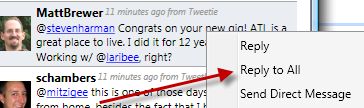
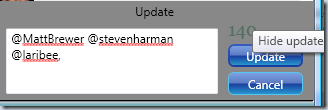
Reply All – YACRP (yet another Chris Roland patch). This came in as a feature request from Shawn Wildermuth and it is one that I wanted as well. Chris got it working and I added it to some additional context menus. Here is how it works. Here is a tweet that Matt Brewer just posted this morning and you’ll notice it has two additional names in it, Steve and David.
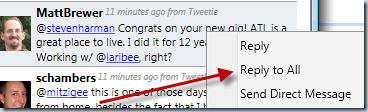
When pressed, all the @ replies are added to your tweet. Good stuff!
Bugs
There were two bugs that were fixed in this release. One was a TwitterNet username property bug and the other fixed or tweaked a new feature whereby URLs are automatically shortened.
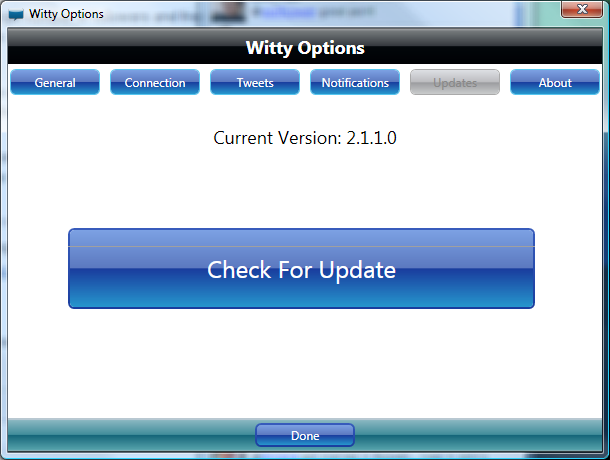
To get the latest version, click Options->Updates and get the latest. Thanks to Chris Roland for pumping out these new features.
Posted by Keith Elder | Posted in Speaking | Posted on 05-02-2009
5
Next week I’ll be speaking at the Little Rock .Net User Group on February 12th, 2009. It is my first time speaking in Arkansas and I’m looking forward to connecting with a lot of the people in that area.
Topic
Structure and Guidance for Organizing Applications within Visual Studio
Visual Studio is an outstanding tool when it comes to building applications on the .Net Framework. It can be confusing for users when trying to initialize a new software deliverable though. For example, how do you name your projects? Where do you put third party assemblies so they can be re-used? How do you set things up for an n-tier architecture? And the list goes on. I’ve given various talks throughout the US and it never fails that I end up in a conversation with multiple people on what are the best ways to organize projects within Visual Studio. This session should answer these questions and provide some proven guidance that works. In this session we’ll cover some best practices on how to organize your projects and solutions. We’ll also look at some tricks and guidance on how to map your folder structure to your namespaces. During the session we are going to build a new application from scratch and cover how to initially incorporate an n-tier design when initializing your project. Even if you are an experienced .Net developer this is one session you will not want to miss!
Posted by Keith Elder | Posted in Internet, PC Software | Posted on 04-02-2009
2
A minor update to Witty Twitter was just published, version 2.1.1. You can install the latest version here:
This release fixes a bug whereby users with a large number of followers and friends would see old replies and updates. Here are the official features and fixes in this release:
- Feature: Compact URLs on the fly – when you paste a URL into the update window it will automatically shrink the URL if it exceeds the 140 character limit http://bit.ly/xzfSG
- Feature: Tweets over 140 chars are now automatically split up – I used this feature in a conversation on twitter yesterday and it is really nice. http://bit.ly/16yJX
- Fix: Typing @ results in $1 followed by twitter name http://bit.ly/12JE2
- Fix: Login window remains visible after first login http://bit.ly/16aSyT
- Fix: Witty making too many API calls http://bit.ly/1urU4S
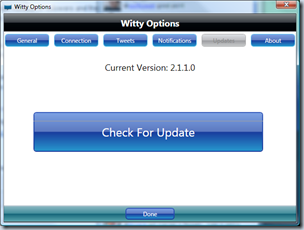
To update Witty, click on Options and the Updates tab and press “Check for Update”. If you are a first time installer, then just click this link:
NOTE:
This version doesn’t show 2.1.1 in the window, however if you click on options and updates it should say 2.1.1: