Posted by Keith Elder | Posted in .Net, C#, WCF | Posted on 09-03-2010
3
I’ve done this twice now and I know if I’ve done it others probably have as well. Here’s the short story and the fix.
Let’s say you create a new project to play around with a WCF Data Service to create some OData. You add an entity framework model from an existing database and then add a WCF Data Service. Things are going along nicely. To get something up and running quickly you modify the WCF Data Service to look like the following. All looks good.
1: namespace WcfService2
2: {
3: public class WcfDataService1 : DataService<NutshellEntities>
4: {
5: // This method is called only once to initialize service-wide policies.
6: public static void InitializeService(DataServiceConfiguration config)
7: {
8: // TODO: set rules to indicate which entity sets and service operations are visible, updatable, etc.
9: // Examples:
10: // config.SetEntitySetAccessRule("MyEntityset", EntitySetRights.AllRead);
11: // config.SetServiceOperationAccessRule("MyServiceOperation", ServiceOperationRights.All);
12: config.DataServiceBehavior.MaxProtocolVersion = DataServiceProtocolVersion.V2;
13: config.SetEntitySetAccessRule("Customer", EntitySetRights.All);
14: }
15: }
16: }
Then you build your solution thinking you are about to strike gold when all of a sudden you are presented with this nasty unhelpful error:

Request Error
The server encountered an error processing the request. See server logs for more details.
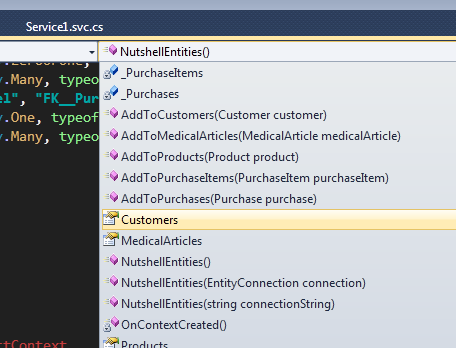
The problem lies in line 13. See the string? Yeah, that’s a spot where we as humans have to type something and let’s face it, we make mistakes. I’ve done this several times already. To fix this, look at your model and make sure you have the correct name. Here is my playground model:
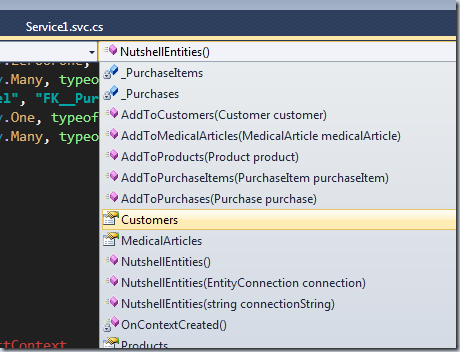
Yep, it was suppose to be “Customers” instead of “Customer”. Change line 13 to “Customers” and all is well.
Posted by Keith Elder | Posted in WCF | Posted on 08-03-2010
3
I just created a brand new solution in Visual Studio 2010 Release Candidate playing around with some new ideas on WCF Data Services. I launched the solution to test my service and I was greeted with this lovely error:
The service cannot be activated because it does not support ASP.NET compatibility. ASP.NET compatibility is enabled for this application. Turn off ASP.NET compatibility mode in the web.config or add the AspNetCompatibilityRequirements attribute to the service type with RequirementsMode setting as ‘Allowed’ or ‘Required’.
This is a pretty easy fix but I thought I’d blog it anyway. There are two options as the error points out. Add an attribute or change the config file. Here’s what you need to add if you want to go the attribute route:
[AspNetCompatibilityRequirements(RequirementsMode = AspNetCompatibilityRequirementsMode.Allowed)]
If you want to go the web.config route instead then change the serviceHostingEnvironment element as follows.
<serviceHostingEnvironment multipleSiteBindingsEnabled="true" aspNetCompatibilityEnabled="false" />
Hope this helps.
Posted by Keith Elder | Posted in Visual Studio | Posted on 05-03-2010
7
Several people asked me today what settings I use for Visual Studio after I twittered the following earlier today:

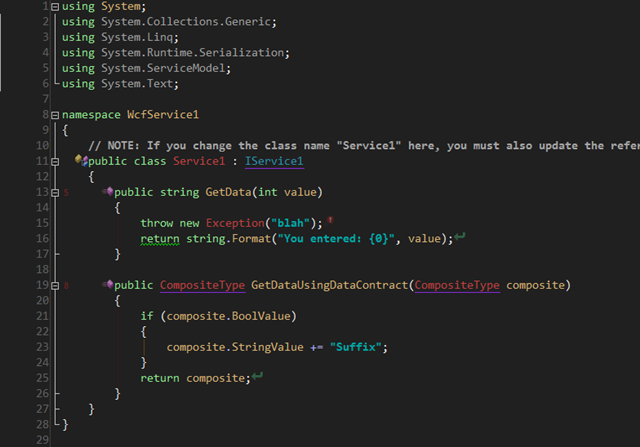
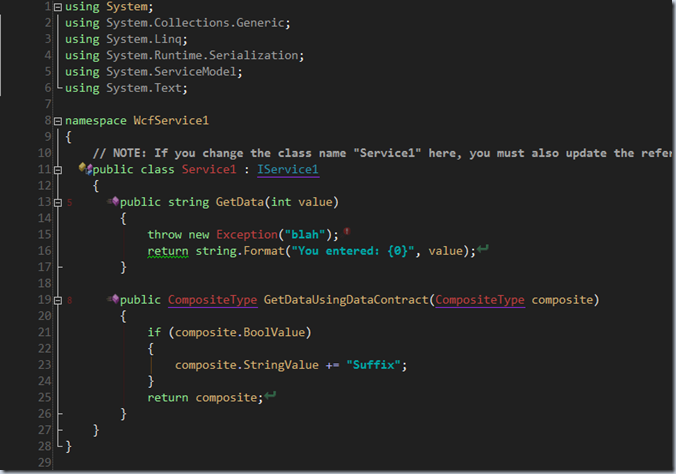
Here’s what my environment looks like. I use a dark theme. I can’t tell you how important this was for me after I had eye surgery. Still is, I can’t stand a lot of glare.
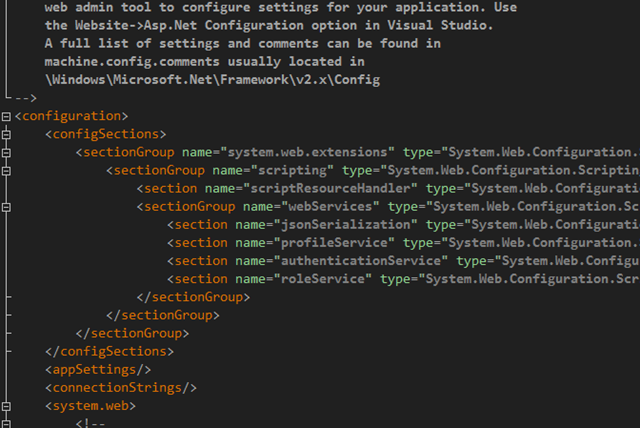
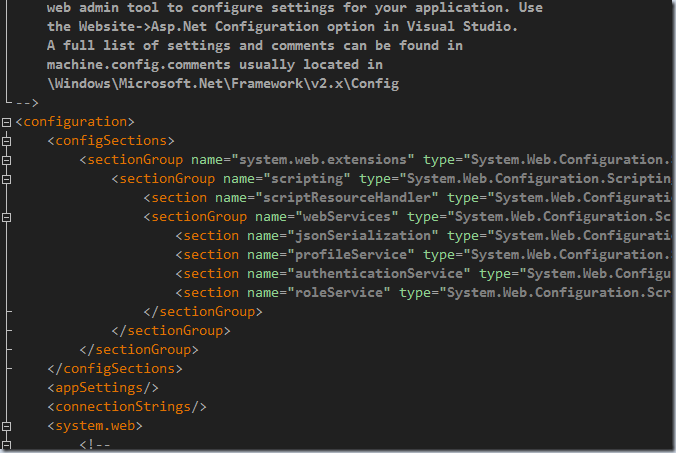
And here is a web.config file view. Very simple color scheme.
If you’d like to try this theme out then download the file below. Within Visual Studio go to Tools->Import and Export Settings to import. The changes will be immediate. Let me know what you think.
UPDATE 3/6/2010
Shawn Wildermuth pointed out that my colors for editing XAML files was horrible. I don’t edit XAML much and when I opened a XAML file it was as if I was viewing a color scheme designed a 2nd grader. He was right. Shawn took my file and updated it and now it is much better. Thanks Shawn!
Thus here is latest version with the XAML fix.
http://keithelder.net/VisualStudioSettings/FontAndColors/DarkElder.zip
Posted by Keith Elder | Posted in Community | Posted on 03-03-2010
0
If you are reading this and you live in the South as a .NET developer or someone who is learning .NET or finds it interesting I need your help. Head over to the following URL and join in with fellow developers and community within the South.
http://southerndevs.groups.live.com
UPDATE: Note that it asks for a reason *why* you want to join. I would turn that off but I can’t in the settings so put in whatever.
Purpose of the group
The purpose of the group is to break through the boundaries of the community. To let it breath and flourish as needed without the worry about state lines. A lot of us in the community coordinate events, code camps and need help from one another and need a way to discuss and keep up with what is going. Today a lot of this information lives in silos within one region or the other. This group is about connecting the dots throughout the community regardless of where you live.
So if you are in the South, or even on the border of what you think of as the South join me in establishing a group that can hopefully serve us all.
Start The Discussion
After joining the group there are multiple ways to connect with the group. The preferred way is to simply email the group when you have announcements or need help by sending email to southerndevs@groups.live.com.
Tell Your Friends
We can’t grow the group without your help. If you are reading this, email the group to co-workers, friends, and so on. Let’s get the ball rolling!
Posted by Keith Elder | Posted in CodeRush | Posted on 02-03-2010
0
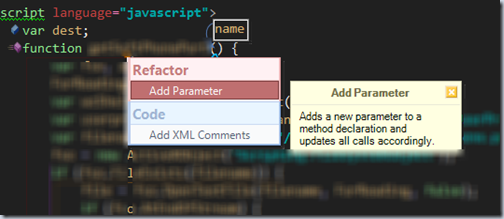
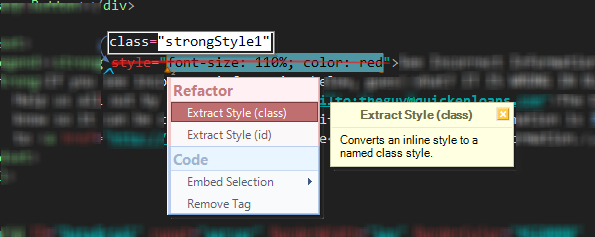
Did you know you can use the Visual Studio plugin CodeRush/Refactor in .ASPX pages as well as within JavaScript? It is something that isn’t demoed a lot but yes, it works!
Here’s a sample of me highlighting some inline styles and pressing the refactor key (I have mine bound to ctrl+(num plus) key).
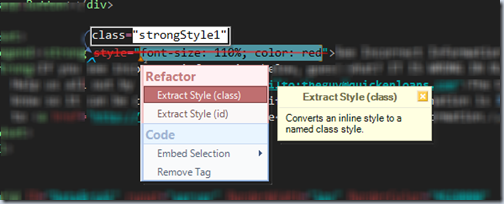
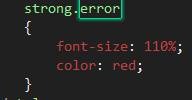
Creates this automatically by adding it to my styles.
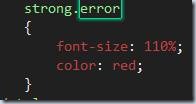
Press escape after you type in the name you want to jump back to the marker where you were.
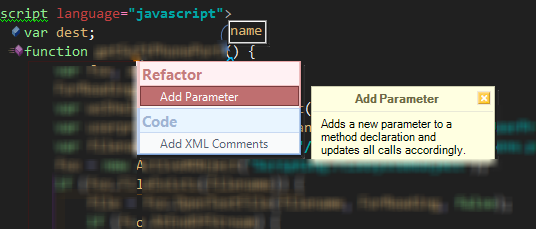
And you can also refactor JavaScript with Coderush/Refactor so don’t forget to hit that refactor binding and see what’s possible.