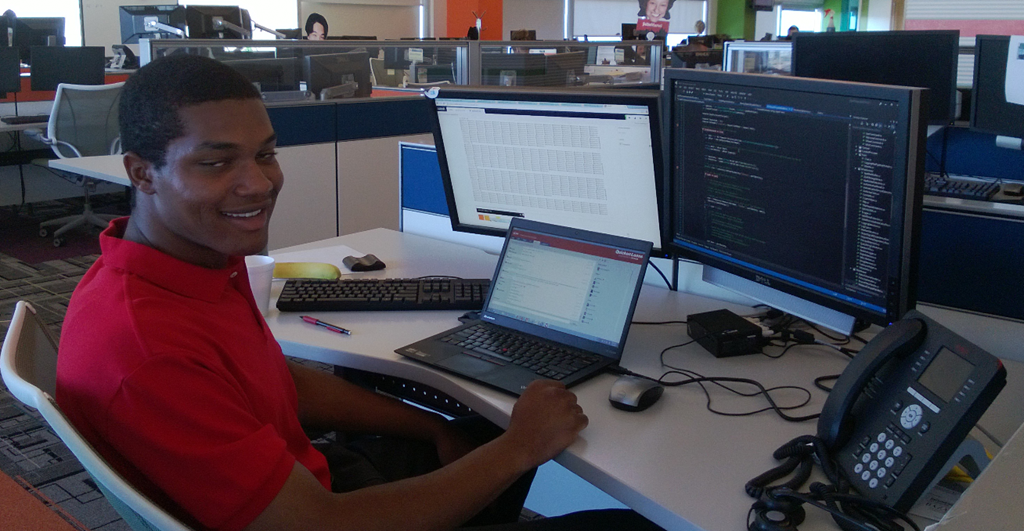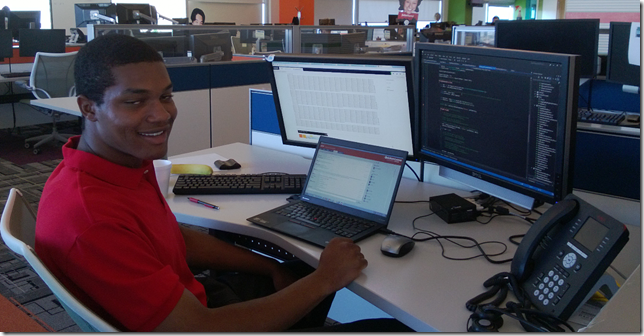
Meet Waleed (pictured above) sitting at one of the many workstations he has enjoyed this summer. This is Waleed’s second year interning with us at Quicken Loans and I am so happy Waleed joined us again this year. Because he’s spent so much time with us as a team member I wanted to do something memorable for Waleed. He has worked side by side our team and I’ve gotten to know what an extraordinary young man he is. Given that I thought I’d document his journey with us so he’d have something to look back on over the years to remember.
Waleed goes to Notre Dame but don’t let his Irish ties fool you as he lives and breathes Detroit (even his twitter handle is @detroitpride313). I remember reading his resume for the first time and he listed several community service events he was apart of in Detroit. This really caught my eye. Who was this young kid that loved Detroit so much that he was out volunteering at a young age?
When you first meet Waleed you probably think he plays basketball because of his tall stature, but you’d be mistaken as he’s learning how to write software, C# & .NET to be specific, but also open source software. I recently sent Waleed some questions about his internship at Quicken Loans and here is what he had to say.
Where are you from?
I am a proud resident of the East Side of Detroit, where I have lived essentially my whole life. Unfortunately, I was born in Long Beach, California where I lived for a year until my father passed away so I cannot claim I was born here. After my father passed away my mother—who was born and raised in Detroit—moved back to Detroit. I have nothing against Long Beach, but I am a proud lifelong Detroiter who lives and breathes Detroit. I jokingly told my mom that giving birth to me in Long Beach was the only mistake she has ever made. If I could I would change my birth certificate, but although I was born in Long Beach I was “Made in Detroit.”
See I told you he loved Detroit! I think this really tells a lot about Waleed as a person because he’s lived in Detroit practically all of his life. Even though Detroit recently filed for bankruptcy Waleed still sees it for what it can be, not what it currently is. Each and every time I’ve shown Waleed something he’s taken to it and approaches things with a “glass is half full” mentality. Hearing Waleed talk about his Mother and how she raised him it is no wonder he has this outlook on life.
How did you choose computer science?
My first exposure to programming, and really the only exposure I had before college, was through making video games with a program called GameMaker. Although I did not originally enter school as a Computer Engineering major I really enjoyed that experience and I feel like it was in the back of my mind. I started my freshman year as an Electrical Engineering major, because I really liked the electrical circuits component of my high school physics class, but midway through I talked to my counselor and changed to Computer Engineering. I told my counselor how I have always loved computers and how I was not really interested in all of the things that Electrical Engineers do and he recommended I switch to Computer Engineering. Computer Engineering has been a perfect fit because I still get to take some Electrical Engineering courses, but the majority of my classes are on programming, which I’ve really come to love.
Describe your first year intern experience at Quicken Loans
My first year experience was something I will never forget. I was excited because of the unique culture here and how the company really seems to care about the employees. However, the best thing about my first year was that it gave me a reality check about what it takes to succeed in this industry. I was oblivious to just how far behind I was before I came here last year. I thought that because I enjoyed my programming classes in school and did well in them that I would be fine in the real world, but I was definitely wrong. Once you gave me the skills assessment test last year that really showed me the large gap that exists between what is taught in school and what you need to know in the workplace and I will never forget that.
You are welcome Waleed and I am happy to read you *got it* as to why we did that skills assessment. If you take anything away from your internship I want it to be this:
Remember that no one can give you an education, you have to give it to yourself.
Many students don’t get this though. They think because they went to class that’s it. Walking into a classroom and only doing what the professor or teacher asks of you is only part of your education. Waleed, no matter where you wind up in life be a continuous learner. You’ll go further than the rest.
What’s the coolest thing about interning at Quicken Loans? (biggest coolest most fun perk)
There are many amazing perks you get as an employee of Quicken Loans such as discounts in places around the city, but the thing I think is coolest is the opportunity to work for a company that loves Detroit and is as committed to helping Detroit as I am. I love the fact that Quicken puts its money where its mouth is and is actively engaged with community service initiatives. Quicken did not just move into a building in Detroit when it came downtown in 2010: it became an active part of Detroit, and I love that. The pride of knowing that I work for a company that cares about and is making a difference in the community around it far exceeds any monetary benefit that I can receive here.
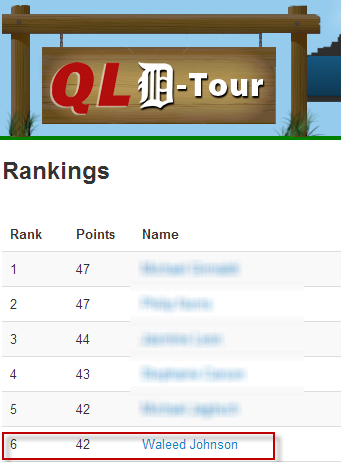
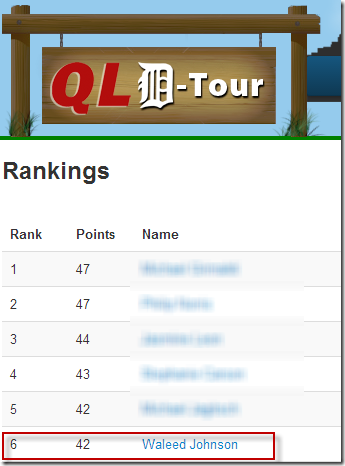
Did I mention that Waleed loves Detroit? He’s all in as you can see and this is great (more on this later though). I think I should also mention Waleed has won more prizes from our internal intern contests than I care to count. For those that don’t know we have an internal website that a couple of our team members, @johnbfair and @chrisroland, built just for interns called “D-Tour”. It turns interning at Quicken Loans into a game and is just one of the things that highlights our culture. For example, interns have to go out and visit or eat at certain places and then send a picture to twitter with a hash tag. By doing so points are added up and they win prizes. The week ending 6/23/2013 Waleed was in 6th place. Not bad considering we have 750 – 1,000 interns!
When you came to Quicken Loans, you didn’t have any .NET skills. Do you think colleges should be targeting .NET more? If so. Why?
Yes, I definitely think that colleges should be targeting .NET more. I really like .NET because it makes website and web application design simple and understandable through tools such as ASP.NET MVC. Additionally, .NET gives you access to powerful languages such as C# which has an amazing set of built in features such as LINQ, which allow you to spend more time on solving the problem at hand than you would with other languages where you have to focus on writing basic utility functions that are already included in the .NET languages. Finally, another great thing about using .NET is access to Visual Studio. Before coming to Quicken Loans all of the coding I had done was in C and C++ on Linux machines using simple text editors. The bottom line is a lot of the things I have learned in school are outdated and placing an emphasis on learning things that are actively being used in the industry would be more beneficial.
I couldn’t agree more with Waleed and this is why more colleges and universities need to be taking advantage of https://www.dreamspark.com/. Microsoft gives students access to all the same tools professionals are using in the workplace so it doesn’t cost the school or students anything to learn to build solutions on these technologies. We just need college professors to step out of their comfort zone and learn a new platform. Teaching is learning so they have to learn it *first* before they can teach it, and that is the problem with adoption. But don’t let that stop you. Go sign up and continue your journey!
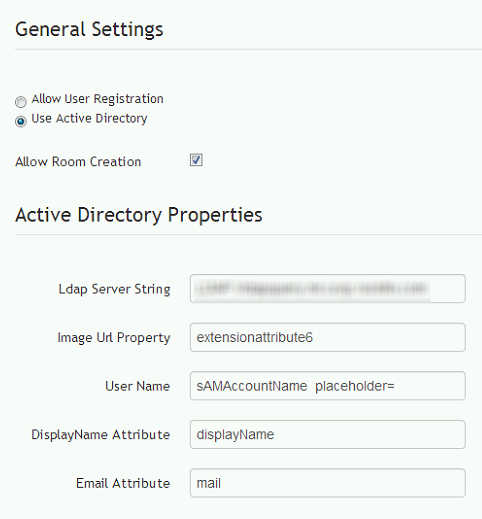
By the way if you are curious as to what Waleed has been working on these past summers he’s been working on an open source project called “JabbR”. JabbR is an Asp.Net real-time web chat tool that leverages a technology called SignalR, also an open source technology. A couple years ago as part of our innovation time myself and a couple other engineers forked JabbR and stood up an internal chat system with it. We added a bunch of features, made it work with active directory, pulled in our corporate pictures and tweaked a bunch of things. It has been widely adopted internally. What Waleed has been working on is taking all the things we changed and he’s adding them back into JabbR via our fork over at https://github.com/QuickenLoans/JabbR.
Here is a screen shot of some of Waleed’s work where he’s adding active directory support into the admin screen. By default JabbR works by using Twitter, Facebook, Google or creating an account. We already have single sign-on working and everyone’s badge photos so requiring everyone to have to create those public accounts and update their own images just doesn’t make sense. When pushed out hopefully other companies will be able to take advantage of this feature as well.
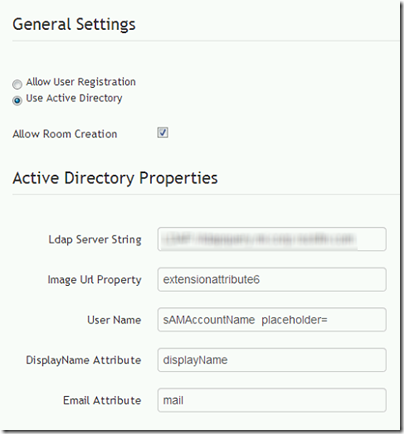
I’ll note this isn’t a trivial change as it impacts lots of little things throughout the application and Waleed has done a great job of tracking them all down.
The big payout for Waleed is he now knows how to use Git for source control and will have something to point to later on that he contributed to. I think that is awesome. Great way to start a resume.
Quicken Loans recently became the #1 place in IT to work for. What are some things you can tell others that make it cool from an Intern perspective?
From the perspective of an Intern in the IT department I think that one of the biggest things that make Quicken Loans cool is the focus here on innovation. A great example of this is Bullet Time. Bullet Time occurs every Monday from 12pm until the end of the day. During that time you are free to work on projects that have value to the company, but are not part of your daily responsibilities with the whole purpose being encouraging innovation. Bullet Time allows you to learn about and experiment with new technologies, which is pretty cool. This is just one of the many examples that show how Quicken not only cares about business, but also cares about your development as an engineer. Another cool thing I have noticed is how the IT department lives up to the company saying “Obsessed with finding a better way.” If you are a developer that thinks something could be more efficient if it was written in say F# you are free to present that to your team leader. People here at Quicken are always trying to find a better way to do things and I think it is great that you do not have to be bound to do things a certain way because that is the way it has always been done.
In five years where do you hope to be?
In five years I would like to be an established Software Engineer living and working here in Detroit, hopefully for Quicken Loans. I would also like to be involved on some scale in investing in the city and I would likely be learning more about the Detroit City Council of which I intend to be a part at some point in my life.
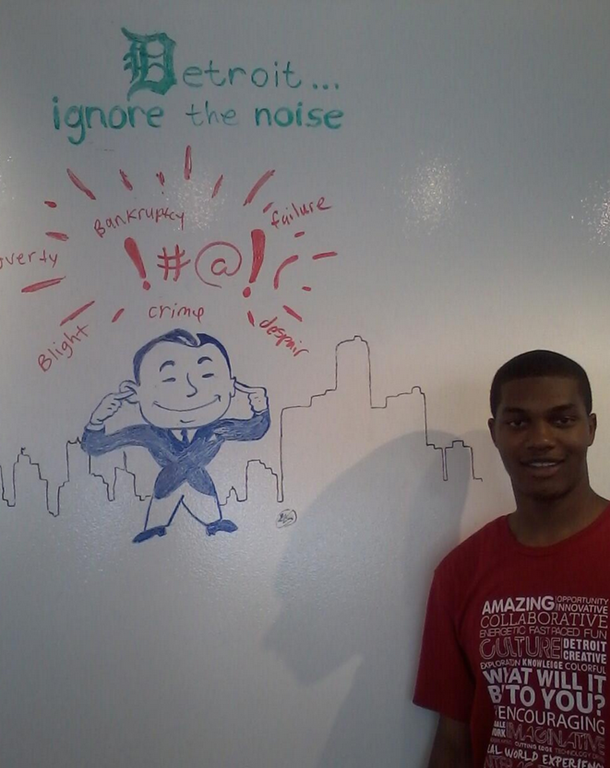
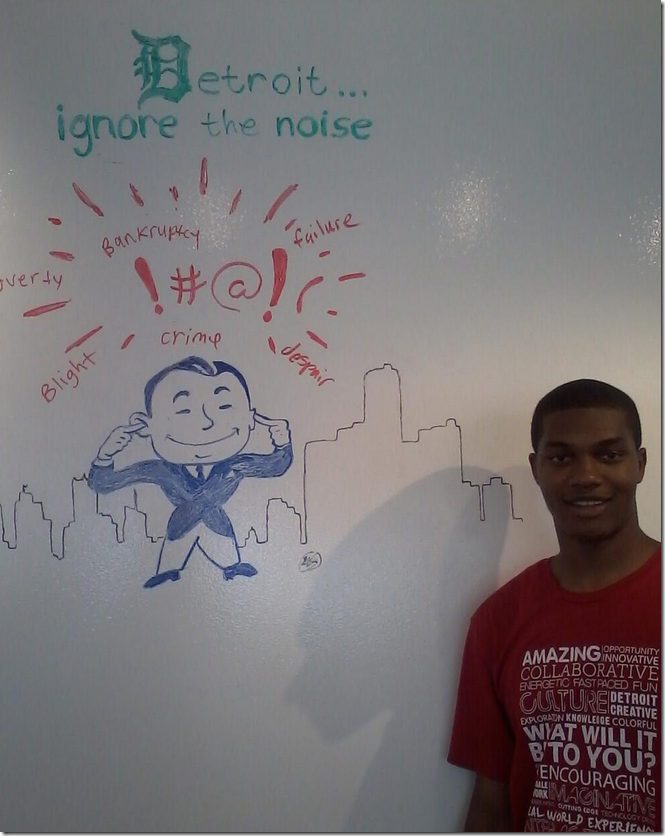
Did I mention Waleed loves Detroit? During some other conversations I learned that Waleed’s ultimate goal would be to become Mayor of Detroit. That’s right. Mayor. I think that is awesome. I fully support him in this journey and others out there should as well. Why? Because you just won’t find a more honest, true moral compass, do the right thing kind of guy than Waleed. Detroit needs more young people like Waleed who want to see Detroit grow and see it for what it can be not what it currently is. Pictures are worth a thousand words but this one may be about 10,000 as it really shows where Waleed is headed. He drew this at Quicken Loans on one of our walls and it expresses precisely why he is going to be the Mayor of Detroit one day.
You can follow Waleed’s journey at Quicken Loans and then his journey to becoming Mayor of Detroit via twitter at https://twitter.com/detroitpride313.
If you are interested in interning at Quicken Loans you can read more about it here: http://www.quickenloanscareers.com/about/internship-program/.
If you are interested in working at Quicken Loans or refinancing or purchasing a home contact me here http://keithelder.net/contact.