Featured Post

Deep Fried Bytes Episode #53: A Lap Around OData with Mike Flasko

  http://deepfriedbytes.com/podcast/episode-53-a-lap-around-odata-with-mike-flasko/   In this episode, Woody sat down with Mike Flasko at MIX10 to chat about OData that was announced on the second day of the conference. OData is an open protocol for sharing data. It provides a way to break down data...

Read More

Who’s Who At CodeMash Updated

Posted by Keith Elder | Posted in Uncategorized | Posted on 20-01-2007

0

I got the rest of the pictures updated on the who’s who at CodeMash post.  Even if you saw it previously, you probably will want to check it out again as it changed considerably.


Technorati tags:

My Video of A Zune to Zune Squirt

Posted by Keith Elder | Posted in Computer Hardware, Mobile Devices | Posted on 20-01-2007

5

I haven’t blogged about this yet but I acquired a Zune back in December.  The reason I haven’t blogged about it is I haven’t traveled anywhere with it  yet.  As a matter of fact I got the Zune while I was on a trip in Michigan and since I run Windows Server 2003 on my laptop I couldn’t even play with it.  When I got home it wasn’t supported on Windows Vista either but not to long after that there was an update and it works now.  Once I got it setup on my Vista machine and over the initial shock the Zune didn’t sync with Windows Media player at all (I’ll blog more about this later) nor support podcasts or video casts I then installed http://www.feedyourzune.com.  I know what you are thinking.  “It doesn’t support podcasts out of the box?”.  Answer: nope.  It probably will in the future since it is just a software upgrade, but right now it doesn’t, therefore the need for FeedYourZune.  With FeedYourZune you can then get podcasts and video casts onto the Zune. 

The night before I left for CodeMash I spent some time getting video and audio casts downloaded to the Zune.  I haven’t traveled with a video device before so I was curious what I would play the most, audio or video.  Turns out I never stopped playing video on the plane or while waiting in the terminal.  I probably played video for about 2.5 hours and I had about 2/3 battery life left.  I’ll blog more about the Zune experience later on sometime after I get a feel for it so let’s move onto the squirting video!

Zune Squirt Video

The Zune has a wireless card built into it and one of the things you can do today with the wireless card is transfer a song to another Zune.  Since I work at home and know absolutely no one else where I live that has a Zune, this is something I couldn’t play with without a partner in crime.   During the first day of CodeMash we were having lunch.  Patrick and Alex of SRT Solutions were at the table along with Steve and Bob and last but not least Jason Follas.  Jason had just acquired a Black Zune and had it with him.   Being geeks we immediately thought it was the perfect chance to squirt.  I pulled my Canon SD630 camera out and took a quick video.   

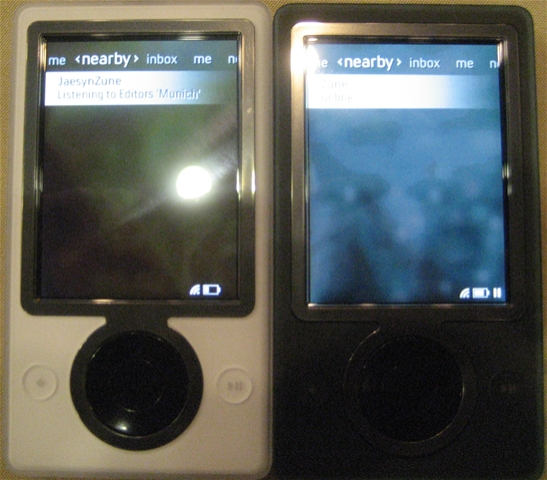
Just a few more screen shots so you can see how the experience is.  Here are our devices sitting side by side on the table.  Mine is white, his is black.  This is what the screen looks like when you are searching for nearby devices.  Sorry for the bad pic but the lighting in the room was really bad.

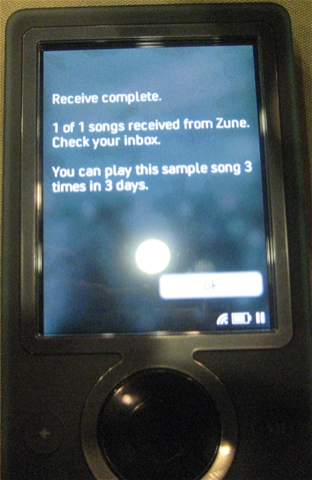
Once the transfer finished which we didn’t want to wait for it in the video so here is what the screen displays once it is finished with the transfer.  Note that it says you can play the song 3 times in 3 days.  This is something that digital rights management needs to address because the file I transferred Jason was in fact just a podcast which should have no restrictions.  I don’t have any ideas how this should be solved in order to mark a file with a different license but we need to figure it out.  Especially when it comes to podcasts and video casts.


Technorati tags: ,

CodeMash: Asp.Net Tips And Tricks

Posted by Keith Elder | Posted in Asp.Net, Programming | Posted on 19-01-2007

0

I’m sitting in the Asp.Net tips and tricks sessions given by Scott Guthrie at the CodeMash conference.  Below are some of the items Scott covered.

Visual Studio Tips and Tricks

First up is the web site project model and the web application project model.  Essentially there are two types of web solutions.  One is a web site project which is the default in Visual Studio 2005.  It essentially allows you to store your web site in a folder0. For most content driven sites this is fine but this isn’t what we were use to in VS2003.  The other solution type is a download that was provided after VS2005 was launched.  Those of us that were using VS2003 didn’t like the new way with the App_Code folder and so on.  The web application project download provides developers the ability to get back to the way we were used to in VS2003.  Typically enterprise customers building large scale applications will utilize the web application project model and content sites use the built-in web site project.   There are also tools to migrate between the two projects if you decide to change your solution later on.  Here are the main things the web application project provides:

  • All files contained within the project are defined within a project file (as well as the assembly references and other project meta-data settings). Files under the web’s file-system root that are not defined in the project file are not considered part of the web project.
  • All code files within the project are compiled into a single assembly that is built and persisted in the \bin directory on each compile.
  • The compilation system uses a standard MSBuild based compilation process. This can be extended and customized using standard MSBuild extensibility rules. You can control the build through the property pages, for example, name the output assembly or add pre- and post-build actions.

Optimizing VS 2005 Web Site Build Performance

If you’ve had build performance issues with Asp.Net there are some tricks and reasons why sometimes when you make a small change the entire solution rebuilds.  Instead of me getting into this to deep, Scott already has a lengthy blog article with screen shots that outlines what is happening under-the-hood and how to speed up build times.

Default Button

Since I write mostly in Windows Forms within .Net, this is something I knew but just forgot from lack of using it.  There are times when you have a web page that has multiple buttons on it.  By setting the defaultbutton property of the form tag you can declare which button will have its click event when the user presses the enter button.  This enables developers to identify the default button behavior when the enter key is hit.  It is cross browser and works on all modern browsers.  Without this feature you would have to write the JavaScript on your own.  The <asp:panel> control also supports this.  Here is an example:

<form defaultbutton=”button1″ runat=”server>

<asp:button id=”button1″ runat=”server” />

<asp:panel defaultbutton=”button2″ runat=”server>

<asp:button id=”button2″ runat=”server”/>

</asp:panel>

</form>

How to shift focus

You can write java script to shift focus to a certain input control but in .Net 2.0 you don’t have to.  In .Net 2.0 there is an attribute called defaultfocus which you can set on your form control to automatically shift the focus to the input control.  To take this a step further you can also do this in code: Page.SetFocus(control).

Another way shift focus comes into play is on validation errors.  When you are using the validation controls set the property SetFocusOnError=”true”.  By default it is false for backwards compatibility so it is something you have to set.  Setting it to true it will auto shift to the control throwing the error validation.  Very nice!

Using CSS Adapters

In Asp.net 2.0 the Control Adapter API was introduced which provides alternative rendering of controls.  What this gives you is a hook to modify or override a control’s rendering output.  All events and other things stay the same, but the output of HTML can be altered.  The CSS Adapter Toolkit, which can be downloaded from http://www.asp.net, makes this possible.  For example instead of the menu control outputting tables, it can output a div tag with ul and li tags.  This of course allows a designer to then style the menu as they would want. 

I asked the question if this is going to be baked into the next release of Visual Studio and Scott said it would be, but to what extent he wasn’t sure.  It is an interesting problem to discuss because you have an interesting design experience to overcome in Visual Studio.   While they could change the output of the menu control to display div tags by default it wouldn’t render properly without a style sheet.  While it is a little more work, I think the solution would be for the Asp.Net team to provide a configuration wizard to configure the control, or maybe extend the smart tag.  I would like to see the default option that is rendered from the controls to be all compliant HTML and then just simply switch a property to change the style to A, B, C, D, or Custom.  This is just an initial quick thought but hopefully you see where I am going. 

Register User Controls in web.config

 If you use user controls in your pages you typically have to add the user controls in the top of each page.  If you add this following code below into your web.config file, these controls will be automatically loaded for you and save you this step.  And for the record there is no performance penalty in taking this approach.

      <pages>

        <controls>

          <add tagPrefix=theelder src=~/controls/header.ascx tagName=tag />

        </controls>

      </pages>

 Server Side Comments

If you have ever had a time when you wanted to not render a control in a page you may have just done this:

<!–  <asp:Button runat=”server” id=”button1″ /> –>

Taking this approach is still going to render the button and fire events it is just going to be hidden in the browser.  However, if you really want to remove the control from the page see the sample below.  Doing it this way will just skip this button all together. 

    <form id=”form1″ runat=”server”>

    <div>

    <%–<asp:Button runat=”server” ID=”button1″ />–%>

    </div>

    </form>

 Other Tips and Javascript Intellisense in Next Version of Visual Studio

 Scott also showed a lot of Ajax tips.  The one take away he mentioned that I didn’t know was the javascript debugger trick.  And while I am thinking about it he also noted that in the next version of Visual Studio code named Orcas, we were going to have full blow javascript intellisense and debugging capability.  No other IDE provides this right now (at least that I am aware of) so this is going to great for those doing lots of Ajax.  Folks, this is HUGE!  

About the debugger trick.  Essentially place this line in your javascript:  debugger;

When you do this the Visual Studio debugger will open to allow you to start a new instance of Visual Studio so you can step into the javascript and also view the contents of variables.

Technorati tags:

CodeMash: Scott Guthrie Keynote on LINQ

Posted by Keith Elder | Posted in Asp.Net, Programming | Posted on 19-01-2007

0

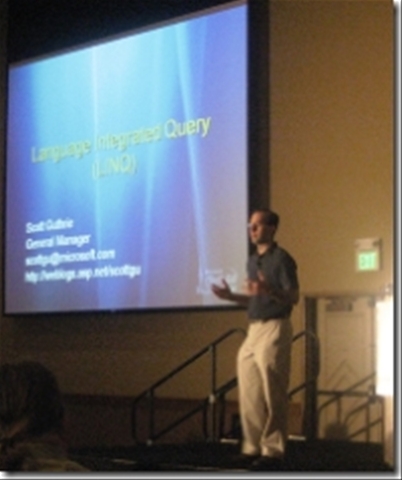
Scott Guthrie opened up CodeMash day 2 today with the keynote this morning and covered LINQ (Language Integrated Query).   I first saw LINQ over a year ago and it is just as exciting today to see it again as it was then.


I’m sitting at a table with some of my fellow team members and other conference attendees.  Most of them haven’t seen a LINQ demo and it was interesting to watch their reactions to LINQ for the first time.  As Scott showed different examples you could tell he had their attention as their heads turned around to each other nodding with approval.  Since we only had an hour the time went by fast and I was left wanting more LINQ goodness.  If you haven’t seen LINQ in action, check out this screen shot.


Who’s Who at CodeMash

Posted by Keith Elder | Posted in Presentations, Speaking | Posted on 18-01-2007

9

Wow, what a day at CodeMash.  It has been busy.  I did two presentations today and I am worn out.  I’ve got to see a lot of people that I haven’t seen in years and got to meet people that I knew of through the blogosphere that I finally got to meet.  Here are some of the people I’ve bumped into at CodeMash in no particular order.  I’ll probably update this post as I take pictures of more people so keep checking back.

CodeMash Organizers

Ok, I said these were going to be in no order, but I thought it really wouldn’t be fair without putting those who worked extremely hard to organize this community run conference on top.  Without these guys, we wouldn’t even had a conference and they totally deserve their props.

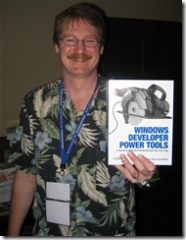
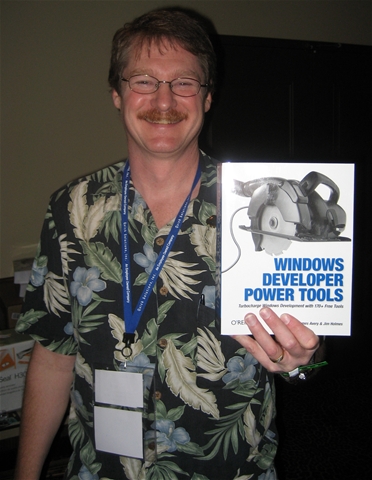
Jim Holmes – The FrazzledDad himself, author and CodeMash organizer.  Without Jim, CodeMash may have never happened, who knows!  I don’t think I saw him without a flowered shirt and shorts the entire conference.   January 19th was noted as “Windows Developer Tools Day” by O’Reily as well.  This is a rare and priceless photo of the author holding his book.  And for the record, no he didn’t give me a copy for this priceless promotion on my blog. :)


Jason Gilmore – Jason works in the open source space with the publisher Apress.  I met Jason in Seattle, WA during an Asp.Net Summit last September and he was sitting right behind me when our bus got hit by some woman.   Jason was responsible for organizing all the speakers, agendas, schedules, etc.  Lots of work so if you see him around, Jim told me he does accept hugs and kisses for payment for all of his work.
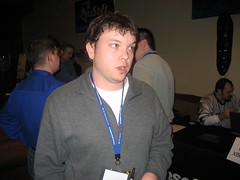
Jason Gilmore

Brian Prince – I met Brian last year at Tech Ed Boston thanks to the connection with Drew Robbins.  Brian basically wrote all of the IT for the conference.  Everything from the http://www.codemash.org web site, to registration, printing badges, a Windows Form application to register members at the conference and so on.   By the way, this is also a rare photo because it shows Brian with hair before shaving it off at the end of CodeMash.  I have a video along with tons of other people that I will try to get uploaded soon of Brian and Josh Holmes shaving their head to get the attendees to blog about CodeMash and help spread the word.
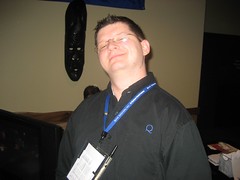
Brian Prince

Jason Follas – I also met at Tech Ed last year.  We had a good time and we’ve stayed in contact since.  We even met up after Tech Ed in Livonia when I was in town where Jason learned that a penny saved is just a penny.  An ISM that he will surely carry to his grave and live by for the rest of his life.  Although he’s not presenting at the conference, he’s on staff at CodeMash and spent a lot of time gathering swag, checking rooms and helping out with whatever was needed. 

Josh Holmes – Josh roasted me in a comment for not making the list (like I would forget him).  He was already on the list but was going to make a guest appearance in the video of his head getting shaved.  Due to upload issues, I’ve resorted to my backup plan of this picture with Josh presenting at the conference on SOA.  He was also the conference MC.  I’ve known this skin head for a couple of years now, mostly while he was at SRT Solutions.  Recently he officially swallowed the blue pill and joined Microsoft as an Architect Evangelist.
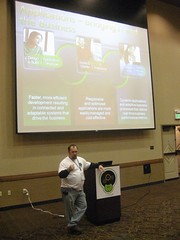
 Josh Holmes presenting on SOA

Attendees

Michael Kimsal – PHP programmer, ex-coworker, friend.  I haven’t seen Mike since the last time I saw him (kidding).  Actually it has been several years.  He now lives in North Carolina and even has a podcast show called http://www.webdevradio.com.



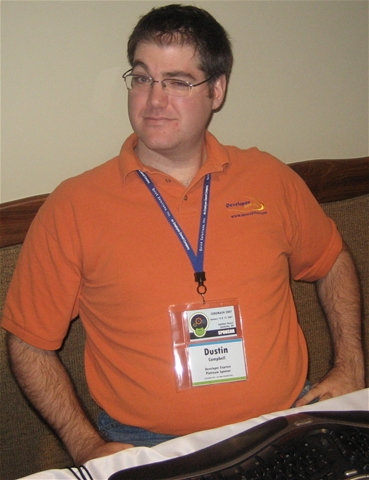
Dustin Campbell – I finally got to meet Dustin after reading his blog for awhile.  Dustin works for Developer Express along with Mark Miller which is responsible for CodeRush and Refactor.  If you are at CodeMash, DEFINITELY stop by the booth so Dustin can show you these tools.  Very cool.  Dustin also receives The Elder Award for the most cackles during the conference.
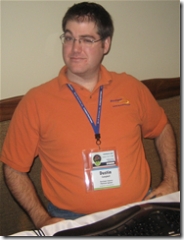
 

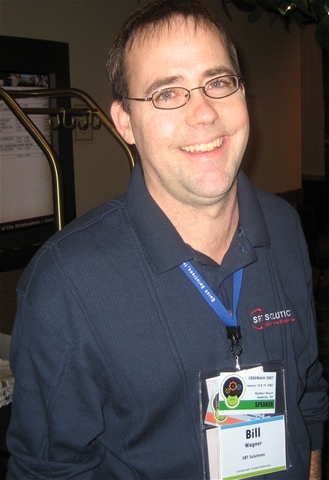
Bill Wagner – Mr. C# and Microsoft RD Bill Wagner is here along with the rest of the SRT consultants.   It took 5 pictures to get him to smile but he finally gave it up (the smile that is). 
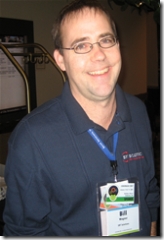
 

And if you hang out at the SRT booth long enough he may give you a USB drive.  If you want to get one without asking then shower Bill with praises about his C# books and LINQ articles he’ll cave in.  Yes it turns out, flattery will get you everywhere with Bill.
Richard Perry (PHP and .Net developer), Jay Wren of ADP and .Net developer, Dustin Campbell from Developer Express and Jennifer Marsman, our Microsoft Developer Evangelist.
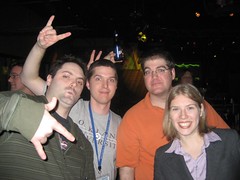
Richard, Jay, Dustin and Jennifer 

Chris Risner – Chris works at Quicken Loans where I work and is a top notch .Net developer  in both the Smart Client space as well as the Asp.Net space.  If you mention the word Ajax or beer, you have his undivided attention.  Oh, in a past life he also programmed in Java.
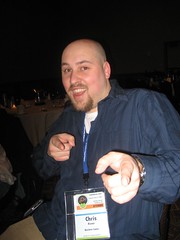
Chris Risner

Dan Chrobak – Another Quicken Loans team member that made it to CodeMash.  Dan has been doing Java for several years but is working his way into the .Net space.  Dan said he wanted this pose to go out to all the ladies in the blogosphere.  I quickly pointed out that 99% of my readers are men and for the 1% left .5% goes to my lovely wife Ellen, and the other .5% goes to my beloved Mother.  He then of course retracted said statement and told me to tell my wife and my mother hello :)

Dan Chrobak

Richard Perry – Richard came all the way from London to bless us with his precense.  Ok, that is a lie but Richard is British and since he is British his accent provides endless hours of amusement.  Combine that with my southern dialect and you have an interesting conversation no matter what is being discussed.  Richard is constantly torn between PHP and .Net and is currently seeking counseling to work this out.
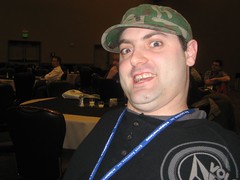
The Richard Perry

Drew Robbins – Midwest Microsoft Developer Evangelist and good friend Drew shows us his tired eyes from the exhausting schedule of the conference.  He also gave a talk on building Vista gadgets.  I also got to meet his daughter and his wife late Friday evening.  He is still recovering from the Ohio State loss to South Eastern Conference team Florida.

Drew Robbins

Patrick Steele – I finally got to meet Patrick.  I’ve been reading his blog awhile and he recently peaked my interest with his new mobile blogging application he’s been working on to blog from his Windows Mobile 5 phone.  Most of the articles he posted while at CodeMash were from his phone which was cool.  I stopped him in the hall to grab a peek at the application and it is pretty nice.  Hopefully he’ll take it and post it to CodePlex as I suggested so the rest of us could chip in on it. 
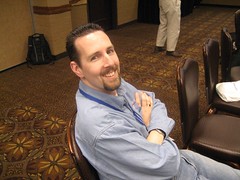
Patrick Steele

Technorati tags: