Featured Post

New Unstable Directory for Debian

This is a little old news but several people I have talked to haven’t heard so here it is. Change your /etc/apt/sources.list file and change the word potato or woody to “sid”. Sid is the latest most unstable release of the Debian Linux distribution. Basically if you want to run all...

Read More

Deep Fried Bytes Episode #13: Staying Sane in Today’s Software Development World with Billy Hollis

Posted by Keith Elder | Posted in Podcast | Posted on 30-09-2008

2

 Listen To This Episode

http://deepfriedbytes.com/podcast/episode-13-staying-sane-in-today-rsquo-s-software-development-world-with-billy-hollis/


Billy is always entertaining to listen to and he doesn’t disappoint on Episode #13 of Deep Fried Bytes.   Think of this show as a “therapy session” with Billy on how to handle information overload as developers.  In this episode we discuss all kinds of things including WPF, WCF and more.

Ways To Listen To The Show

There are several ways to listen to Deep Fried Bytes.

1. Directly From The Web Site (or click the link above)

When you visit the site look for this:

Clicking the triangle will launch the Yahoo! media player and automatically start playing the show for you. As long as you leave the browser window open the player will stay open. Clicking off the page WILL stop the player!

2. Subscribe via iTunes and Zune

If you have iTunes or Zune installed on your computer you can subscribe to our show. In iTunes open the Music Store and search for “Deep Fried Bytes”. In the Zune software, go to the MarketPlace select Podcast and search for “Deep Fried Bytes” to subscribe to the show. You can also click either of the two icons below to automatically subscribe to the show if you have iTunes or Zune installed.

Subscribe via iTunes Store Subcribe via Zune Market Place

3. Subscribe to RSS Feed

To stay current and up to date with the show, subscribe to the site’s RSS Feed. If you don’t know about RSS feeds you can read more here: http://en.wikipedia.org/wiki/RSS_(file_format)

If you already have an RSS reader installed and setup, click the feed icon below to grab our news feed.

Subscribe to our podcast!

Custom ConfigurationSection Error: Unable to load type

Posted by Keith Elder | Posted in .Net | Posted on 15-09-2008

2

I was creating a custom ConfigurationSection for an App.Config file.  Thinking I had done everything correctly (this really isn’t that hard) I kept getting this error.

“An error occurred creating the configuration section handler for LogManagerGroup/LogManager: Unable to load type ‘Core.Logging.Configuration.LogManagerSection, Core.Logging, Version=1.0.0.0, Culture=neutral, PublicKeyToken=br549br549br549′ because it is not public.”

I tried everything I knew to debug this thinking the problem was with the config file but it turned out to be code related.  Here’s the bad example:

   1: public class MyCustomSection : ConfigurationSection
   2: {
   3:     [ConfigurationProperty("IsDebugEnabled", DefaultValue = "true", IsRequired = true)]
   4:     public Boolean IsDebugEnabled
   5:     {
   6:         get
   7:         {
   8:             return (Boolean)this["IsDebugEnabled"];
   9:         }
  10:         set
  11:         {
  12:             this["IsDebugEnabled"] = value;
  13:         }
  14:     }
  15: }

Here’s the fix (just add a constructor):

   1: public class MyCustomSection : ConfigurationSection
   2: {
   3:     // Adding Constructor fixes this error
   4:     public MyCustomSection()
   5:     {
   6:  
   7:     }
   8:  
   9:     [ConfigurationProperty("IsDebugEnabled", DefaultValue = "true", IsRequired = true)]
  10:     public Boolean IsDebugEnabled
  11:     {
  12:         get
  13:         {
  14:             return (Boolean)this["IsDebugEnabled"];
  15:         }
  16:         set
  17:         {
  18:             this["IsDebugEnabled"] = value;
  19:         }
  20:     }
  21: }

Hopefully this will save someone time trying to figure this out.

If you are wondering “why” this is the case, it is because the ConfigurationSection class the custom section inherits from is an abstract base class that doesn’t have a default constructor therefore one has to be added. 

Deep Fried Bytes Episode #12: Going Home with the Home Server Team

Posted by Keith Elder | Posted in Podcast, Windows | Posted on 12-09-2008

1

image Listen To This Episode
http://deepfriedbytes.com/podcast/episode-12-going-home-with-the-home-server-team/

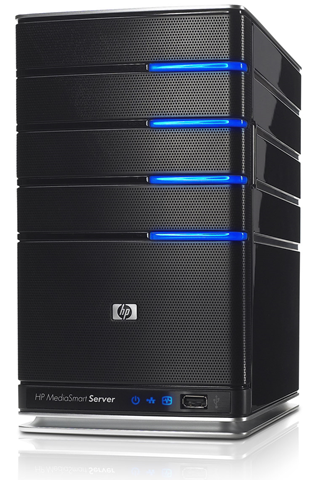
Do you have a Windows Home Server?  Have you even heard of Home Server?  If you don’t have one or haven’t heard of it before, take my advice and listen to this show.  You should get one if you have a Windows home network and networked PCs.  If you do have one, then you know how glorious it is.  It is the best technology to come out of Microsoft in years that solves a real world problem.  As you’ll learn in this episode, it took someone passionate four times to get this product off the ground.  In this episode you’ll learn what Home Server is, the new features in Power Pack 1, how to build your own Home Server if you are a do it yourself type of person, and how to write your own Home Server plug ins.

In this show we sit down with Home Server product team members Jonas and Brendan to get the scoop on Home Server. 

Ways To Listen To The Show

There are several ways to listen to Deep Fried Bytes.

1. Directly From The Web Site (or click the link above)

When you visit the site look for this:

Clicking the triangle will launch the Yahoo! media player and automatically start playing the show for you. As long as you leave the browser window open the player will stay open. Clicking off the page WILL stop the player!

2. Subscribe via iTunes and Zune

If you have iTunes or Zune installed on your computer you can subscribe to our show. In iTunes open the Music Store and search for “Deep Fried Bytes”. In the Zune software, go to the MarketPlace select Podcast and search for “Deep Fried Bytes” to subscribe to the show. You can also click either of the two icons below to automatically subscribe to the show if you have iTunes or Zune installed.

Subscribe via iTunes Store Subcribe via Zune Market Place

3. Subscribe to RSS Feed

To stay current and up to date with the show, subscribe to the site’s RSS Feed. If you don’t know about RSS feeds you can read more here: http://en.wikipedia.org/wiki/RSS_(file_format)

If you already have an RSS reader installed and setup, click the feed icon below to grab our news feed.

Subscribe to our podcast!

Building the “Good Enough” Framework

Posted by Keith Elder | Posted in .Net, Programming | Posted on 09-09-2008

5

At DevLink a few weeks we held open spaces on the theme of “good enough”.  I started a topic on building internal application frameworks and re-usable code bases, thus the title.  This was an interesting topic to me because my role at work the last several months has been to create this very thing.  It is an interesting hat to wear because instead of a team’s clients being entrenched in the business, the clients are fellow developers.  The question is how do you go about building this type of framework and what are the things you should watch out for as you go down this path.  Below are notes taken from this open space session along with other guidance.  Please feel free to continue this conversation here and within your own blogs. 

Know What You Are Building

It became obviously very quickly during our open space that developers were scared of the term “framework” as we discussed the topic.  As several stated, they’ve been forced to use various libraries and frameworks at previous employers and they’ve found them to get more in the way than to help.  If you are tasked with building an internal framework like this it is important there are clear goals in mind.  Maybe you don’t need a framework, maybe all you need are reusable services or libraries of utilities. 

The main goal of whatever you call these libraries should be about keeping things DRY (don’t repeat yourself).  If developers are having to repeat themselves then work with them to keep things DRY so other developers can stay DRY.

To save the confusion I’ll refer to the framework / reusable code as “the libraries” from now on.

Know What Not To Do

It is great to know what to do but knowing what not to do is just as important.  These gems of knowledge come from those that have gone before you or those that have tried to use what others have created.  Seek those people out and pick their brains to learn what not to do.  I’ll touch on some of these as we progress further.

Don’t Put Items in One DLL

Speaking of knowing what not to do, one of the first items the group brought up was to make sure not to put everything in one DLL.  This gem of knowledge boils down to separation of concerns.  Imagine if the .Net framework was one large DLL.  Yeah, not good.  The same principle applies here as well. 

Make it Discoverable and KIS (keep it simple)

The term discoverable in this context means will developers be able to use your libraries using intuition and Intellisense within the IDE.  For example, let’s say you have a method in one of your libraries that validates a phone number.  Developers should be able to find that method without much effort and thought and without even knowing if it exists or not.  They should be able to just discover that it is there. 

Of course if things are kept simple this helps with discovery.  These two go hand in hand. 

Get Architects Involved

If you are tasked with building a type of system like this it is important to get your architects involved early and continuously.  Architects should be driving features into these libraries.  Architects should know problems developers face and identify those situations where developers are repeating themselves.  Once identified they should be communicated to those managing these libraries and or even contributed by them. 

Use Architects as your eyes and ears.

Treat it as a Third Party Vendor

One very important mind set everyone (the team writing the code and those using it) must have about these libraries is they should be treated as any third party vendor.  This means a couple of things.  One it means these should be updated, deployed and managed as any third party vendor.  Developers shouldn’t be able to just grab a DLL and throw it into project they are working on.  Not being able to manage the versions applications are using can result in a nightmarish situation.  Secondly, it means the developers using these libraries cannot haphazardly contribute to the source just as they cannot contribute to a vendor’s code base.  That isn’t to say they can’t contribute, as a matter of fact they should be the driving force behind new features.  Most all vendors that build tools for developers will tell you they get their features from their customers. 

The third thing this forces everyone think about is breaking APIs.   Imagine for a second that vendors changed their APIs on a whim and with each release.  Can you imagine how much of an impact that would that have on your organization?  The answer is  A LOT.  The same thing applies for these libraries.  Once they are out there and used, changing an API has drastic consequences and can be costly for organizations to redeploy and fix applications.  As one of the attendees that works for a company that produces tools for developers said, “Changing an API should require executive decision.”.  It is ultimately an executive decision to change APIs because of the time and cost involved.  This also segues nicely into the next topic.

Do it Right the First Time

Tying into never breaking the APIs, this is important enough to get it’s own heading.  When building reusable libraries it is extremely important things are done right the first time.  If this means spending an extra day to research a new pattern do it.  If it means writing 10 additional unit tests do it.  If it means building sample applications do it.  If it means holding up a release to make sure other developers are comfortable with it do it. 

The strict nature of these libraries must be adhered to because of the impact of changes.  It doesn’t mean there won’t be bugs.  There will be bugs but your deployment scenario should handle that gracefully.  The .Net framework already allows for this, just be sure you take advantage of it.

Use Senior Engineers, They Are the Gate Keepers

Let’s see, don’t break the API and do it right the first time.  Hmm, that sounds like a job for a Jr. Level engineer no?  This should go without saying but in order to achieve these goals, the easiest way to do it is to use senior level engineers.  Thus, if you were thinking of using Interns to write these libraries, think again.

These senior engineers also should serve as the gate keepers for things that get into the framework. 

The Libraries Should Evolve

If you are starting out to build a framework, more than likely it will fail and not meet the needs of your developers.  Libraries should evolve over time.  Going back to the third party vendor rules, vendors typically don’t add things into their tools unless asked.  These libraries should be the same way.  In other words, don’t add something just because it is cool.  If someone didn’t ask for it, don’t add it (YAGNI – you ain’t gonna need it).  Let the libraries evolve over time and you’ll have a better product in the end.

Use Baked Code

If you are a gate keeper of these libraries don’t take just any contribution someone sends your way.  There will be obvious cases where this doesn’t apply, but it is safe to say that code needs to bake before being considered.  The term baked refers to code being used in production or maybe in several projects.  Using baked code helps to make sure the code is needed and wasn’t a one off scenario.  It also helps to make sure the code works in broader scenarios rather than just where it was originally written. 

Adamantly Adopt Best Development Practices

When building application frameworks and libraries like this it is extremely important best development practices are followed.  These practices help to mitigate risk, bugs, defects, and focus on providing the quickest value.  If you are using Senior Engineers, more than likely these practices will already be followed and adhered to.  Here are some base guidelines in no particular order.  I won’t go into detail on each one as I think they have been covered in other conversations better.

  • Test Driven Development
  • Build To Interfaces
  • Continuous Integration – One thing to note is not only do CI for your builds, but also try to get other projects to do CI with your libraries
  • Automate Deployment
  • Strongly consider using Agile methodologies

These are well known and established best practices but I want to harp on the words “adamantly adopt”.  Using one out of this short list of practices is not enough.  They should ALL be adopted.

Continuing The Conversation

This was a great open space and it brought to light a lot of things that need to be considered when developing these types of libraries.  I welcome anyone to contribute tips and continue this conversation.

BlackJack II Windows Mobile 6.1 Review

Posted by Keith Elder | Posted in Mobile Devices, Windows | Posted on 04-09-2008

4

I was in Redmond back in April and had the opportunity to load my Blackjack II with a pre-release of Windows Mobile 6.1.  I was traveling and didn’t want to wipe my device and start from scratch.  Plus I was informed there were a few bugs, some of which I couldn’t live with.  So I waited for the official release.  A few days ago Windows Mobile 6.1 was released from Samsung and I’ve really enjoyed this update.  If you just want to jump in and get started with the update to 6.1 here are the links to get started.
Windows Vista Samsung Blackjack II 6.1 Update

Windows XP Samsung Blackjack II 6.1 Update

Be sure you use the correct one depending on which operating system you are using. 

Blackjack II 6.1 Upgrade – Scary But Worth It

If you click on the links above you’ll notice a very long web page, lots of screen shots and a bunch of steps.  The update definitely looks scary.  Even I was intimidated to start it.  But honestly once I got going it didn’t take that long.  The longest part of the whole thing is writing the new ROM to the phone.  I started and then went and did something else.  I doubt most non-tech users will go through with this update, but honestly they should.  It is worth the trouble even though it is lengthy.  This is something that I’d like to see simplified on the Windows Mobile platform.  I don’t have the answer but there has got to be an easier way to do these updates.

Blackjack II 6.1 Screen Shot Heaven

For those that have a Blackjack II and are wondering what the update has in store here is a pretty comprehensive list.  The main thing to note is the new home screen, voice command, and better scroll support.  The base operating system has a lot of new features but Samsung also did a nice job of bundling in a nice software package. 

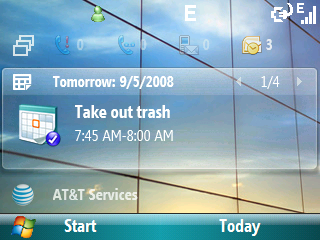
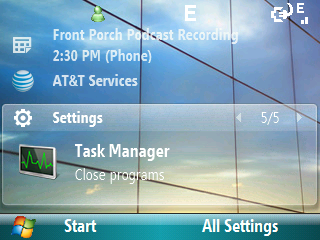
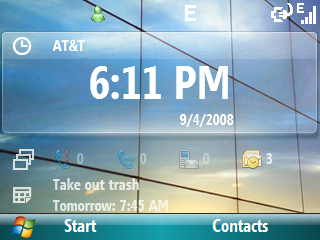
Default home screen.  6.1 changes the home screen quiet a bit to make typical things one accesses easier instead of having them buried down in the menus.  Notice the icons right below the time. This provides an easier way to view activity. There are five items that bubble up under the home screen.  Missed calls.
sshot035 sshot036
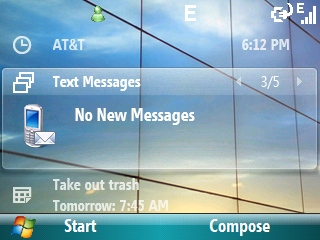
Voicemail Text messages
sshot037 sshot038
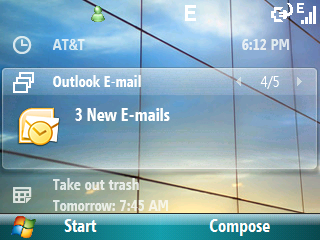
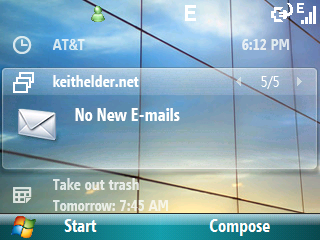
Direct push email Another email inbox
sshot039 sshot040
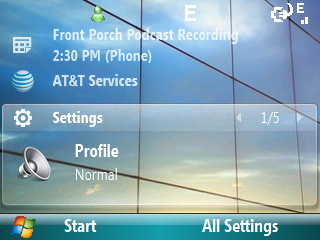
Under messages is calendar.  The settings section has five different items.
sshot041 sshot010
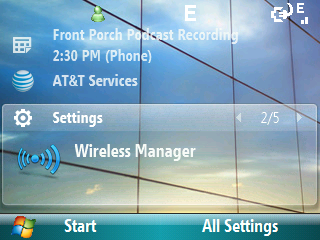
Wireless manager (easy access to turn bluetooth on or off, also the keys fn-b by default will toggle as well) I’m not into ring tones so this doesn’t excite me that it is under settings.
sshot011 sshot012
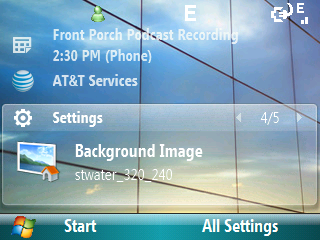
Change background image.  Again, not that exciting for me but I did set the background to a different one as you can tell in these screen shots. Task Manager.  Which can also be accessed by holding down the home key.
sshot013 sshot014
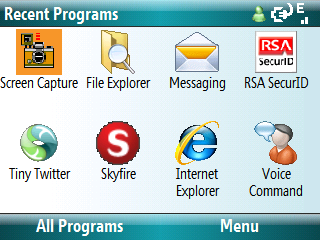
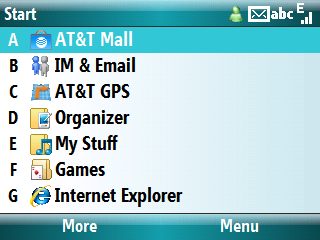
Pressing the start button goes to recent programs.  This is new and I haven’t decided if I like it or not.  I was used to the old way.  Maybe I’ll come around. Pressing “All Programs” on previous screen goes into the menu.  As you can tell I use the list menu since it can hit hot keys for items. This can be changed in Settings->Display.
sshot015 sshot017
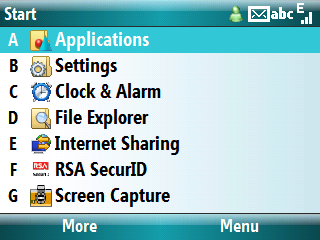
Second screen of pre-installed applications.  The BJII has a built-in GPS chip and comes with a bundled GPS program which cost $10 / month to enable.  Personally I use it all the time when I travel. Notice this screen includes Internet Sharing right out of the box.  A huge time saver.  Previous this had to be added via a hack.  The RSA SecurID is a program I added, as well as Screen Capture.
sshot018 sshot019
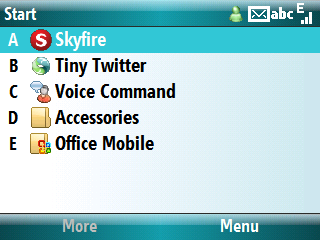
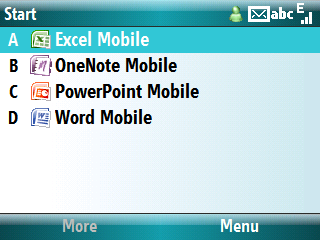
Voice Command is a nice feature that comes with the Blackjack II 6.1 upgrade.  This allows your phone to speak when certain things happen (new email, new text msgs, calendar popups, etc).  Skyfire and Tiny Twitter I added. This shows the Office Mobile applications included.
sshot020 sshot021
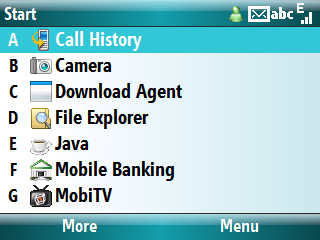
These are the items pre-installed in the Applications menu. Probably the coolest app in this menu is Mobile Banking.  Currently about 7 banks are supported, Wachovia being one that I have one of my accounts at.  There are several steps to get things setup and you have to be at a computer to set accounts up.  Once complete, you can check balances and other options by simply entering a six digit pin number.  If only E*Trade would get on board.  Why an online bank would not be in the bank list is beyond me.     MobiTV is another application that is included.  This is an extremely cool application that allows the phone to stream live TV directly to the phone.  Yes, live TV!  It cost $9.99 to purchase.
sshot022 sshot042
MobiTV provides 40 channels of live TV and an easy to use guide. This is MobiTV loading the Replican Convention from MSNBC.
sshot043 sshot044
Within seconds you can be watching TV from anywhere.  If you are stuck in the airport or wherever you can stay connected and not miss a show.  Be sure you have the unlimited data plan though. Another view.
sshot045 sshot046
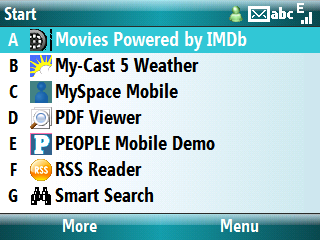
This is MobiTV running in full screen.  Note the connection I had while viewing this was Edge not 3G and I have to say that it is very impressive. Of these apps there are a few duds.  Mainly the Movies Powered by IMDdb.  I’m sorry but I’m not paying for an application for information I can get in the browser for free.

The weather app is really cool but I’m not going to pay for it either.  If it were free, sure I’d use it.  Smart search maybe smart but it should be called “Slow Search”.  People is just a demo and for me provides zero value.  The RSS Reader is ok if you only want to read a few things.  I recommend Newsgator Mobile which is free and syncs with the web, a client version and the mobile.

sshot047 sshot023
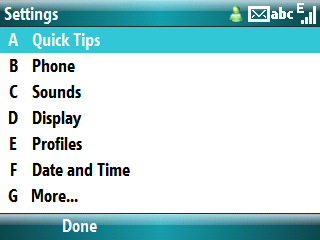
Finishing off the applications we have task manager and Office mobile. First settings screen.
sshot024 sshot025
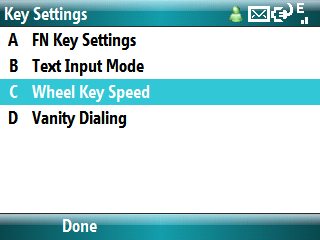
Second settings screen.  Of interest is the Key Settings. A new feature is the ability to change the wheel speed.  Alleluia!
sshot026 sshot027
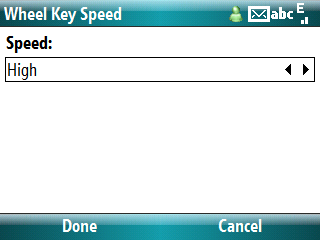
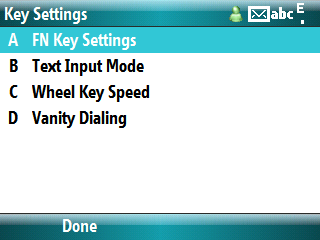
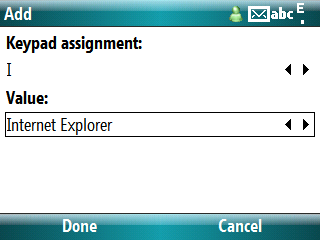
The default is low.  I’ve changed mine to high and it is a considerable improvement. A little known feature is the FN key settings.  From the home screen you can press combinations of “fn-{key}” and launch a program directly.  After an install I setup several to hot launch including RSA, Twittery, Internet Explorer and Skyfire.
sshot028 sshot030
In the bottom right press add. Choose a keypad assignment and an application.  Note you can type the first letter of the application in the value box to just to that app.  Once set, when on the home screen type fn-{key} and that app will launch.
sshot032 sshot033
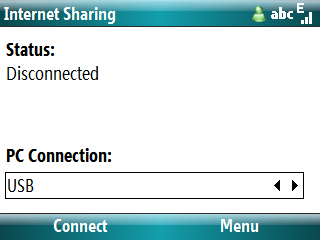
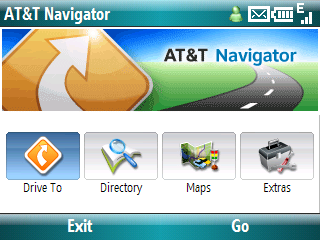
As I said earlier, Internet Sharing is built into the ROM this time.  If you want to get your computer online if you don’t have free WIFI available, launch this app with the USB cable plugged into your computer and press connect.  Within a few seconds you’ll be on the Internet.  If you are on a 3G network, you won’t notice any difference. Bundled AT&T / Telenav GPS program.  This is a great program that provides spoken directions and turn by turn guidance.  It even supports a pedestrian mode.  Again, it cost an additional $10 / month to use.
sshot016 sshot034
   

This is a welcomed update due to the fact it bundles Internet Connection sharing as well as fixes the sluggishness with the job wheel I mentioned in a previous review.  The GPS now seems to lock on faster as well.  This is something that has caused me trouble when traveling taking up to five minutes to lock on.  Lock on times seems to be about a minute. 

If you can get over the scary upgrade process I think you’ll like the update.  Give it go.