Posted by Keith Elder | Posted in Blog Updates | Posted on 21-02-2006
We finally got the site moved and setup Community Server for everyone to enjoy. We will be back porting some of the old content but I haven’t gotten around to it yet.
[Updated 1/1/2007]
The site is now running SubText.
Posted by Keith Elder | Posted in Internet, PC Software | Posted on 02-10-2005
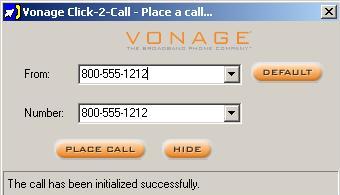 I’ve have to be honest, I’ve been a little behind on all the features Vonage is offering these days. After moving to Mississippi, I had to change phone numbers, fax numbers, etc with Vonage to local numbers. To change a number you just go online, login and click on change my number. You then pick an area code you wish to have your telephone number relocated to and within a few minutes you’ll have a new phone number in your chosen area. Pretty cool stuff. While I was getting everything setup, I decided to change my plan to the “all you can eat” $24.99 plan since I am working out of my home office. As I was reading what was included in the plan I noticed a new feature called “Click-2-Call”. The feature integrates with Outlook by placing an additional menu bar on the contacts screen allowing you to simply click a button to call someone. Another nice benefit is you can highlight whatever text you want, press F6 and it will auto dial that number for you. I am pretty sure this is the final release of a feature that got posted to the Vonage forums one of the developers was playing with awhile back. It is a simple concept where you submit a phone number via a web post to their web server and it will auto dial a number for you. I played with it some and even integrated it into the Adressbook on my Mac. Now if they would just publish an API for it that would be great.
Posted by Keith Elder | Posted in .Net, Asp.Net, Friends | Posted on 28-09-2005
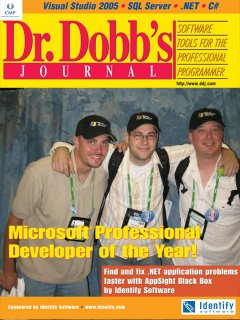 If you have been reading any type of technology news lately you should have stumbled across some Microsoft news recently about Windows Vista, Sparkle, Windows Workflow Foundation, Windows Mobile 5 (Treo 700w), etc. Most all of this news, except the Treo 700, was released during PDC. Or Microsoft week as a lot of writers call it. Two co-workers, Dan and Brad, along with myself got to go to PDC in Los Angeles. Instead of writing about what we did and saw, I put Brad in charge of my camera and had him document the trip. I’ve uploaded all 184 pictures to the site for your viewing pleasure. Here are a few things to help guide you along as you go through the slides:
- We were at the keynote where Bill Gates talked about Windows Vista
- The video with Bill Gates and Napolean Dynamite was hilarious
- You’ll see some eye candy screen shots of the new Windows Vista operating system
- Us playing around in the main vendor room
- Microsoft bought out Universal Studios on Wednesday night so we all went there
- Friday we headed to the beach and ate supper in Malibu!
- I took Brad to Fry’s Electronics (the weird pictures of the aliens and spiders, etc)
Enjoy the pics!
Posted by Keith Elder | Posted in Family, General | Posted on 28-09-2005
After spending about 8 years in Michigan we finally moved back home to Mississippi. Hattiesburg, MS to be exact. Why did we move back you ask? Ellen got a job at William Carey in Hattiesburg. Which works out pretty well considering her mother still lives there. I will still be working at Quicken Loans but doing so remotely. About every 6-8 weeks I’ll fly back to Michigan for a week and work onsite, then head back to MS. The past several months have been crazy. Ellen moved down to MS around August 10th, several weeks before I did, so I stayed with AtomicInternet and finished working on a major project we were launching at work. The day I left for Mississippi, Katrina hit Hattiesburg dead on. It turns out the eye of the storm went right over the top of the city.
Posted by Keith Elder | Posted in Mobile Devices | Posted on 25-07-2005
While this really isn’t a true head to head comparison article for those that are looking to buy a Treo or a Blackberry, hopefully you’ll find this information useful so you can make a better informed decision. This is all based on my personal experience and unique needs. It is time once again to revist the “Treo vs Blackberry” debate. Several months ago I got word through the grapevine at work that we were going to be beta testing GoodLink. Since last summer I had been waiting for work to get GoodLink but at the time GoodLink wasn’t as “security ready” as some folks wanted. As soon as I confirmed we in fact had a GoodLink server in house, I drove to the store that day and picked up the Treo 650. Previously I wrote about the Blackberry vs Treo and the four things that I didn’t like about the Treo 600 compared to the Blackberry, they were:
- It is not “always on”
- You cannot type on the small keyboard
- I cannot get work related email
- No bluetooth (which I miss horribly)
The Treo 650 using GoodLink fixes 3 out of this 4 (keyboard is still a little small) plus it provides a lot more functionality and is a much better phone than the Blackberry. Let me say before you read any further that before I had gotten word about the GoodLink server, I was already debating on switching back to a Treo. The Blackberry was just not cutting it, I always found myself saying, well if I had my Treo I could ….. (insert statement). Checking email on the Blackberry was OK as I will explain, but other than that, it didn’t do a lot for me. In the end I would have still gotten the Blackberry when I did because it was the right thing to do based on my needs at the time when I got it (since GoodLink wasn’t supported). Nevertheless, let’s kick things off with my Blackberry gripes and then work our way down to the Treo.

