Welcome

You have reached the blog of Keith Elder. Thank you for visiting! Feel free to click the twitter icon to the right and follow me on twitter.

Re-Enabling Features in CodeRush v2009.1.2 After They Are Disabled

Posted by Keith Elder | Posted in Visual Studio | Posted on 06-04-2009

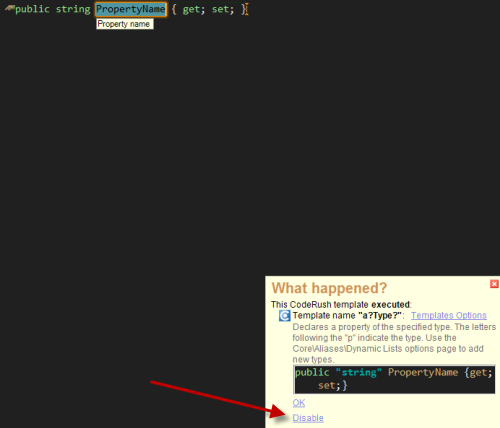
After installing the new Coderush v2009.1.2 release for Visual Studio I broke one of my templates using the new disable feature.  There is a new feature in the release that tells you what CodeRush did after you initiate a command.  For example, let’s say you create an automatic string property by typing: “as <space>” as seen here:
image

As you can see CodeRush pops up a dialogue in Visual Studio telling you what it did.  This is a great feature in case you type something that CodeRush does that you don’t want.  There are a few edge cases I know I have run into where this is going to be a welcomed feature.  However, what I did as I was looking at the menu was accidentally click on “Disable” as you see above.  I spent the next little bit digging around figuring out how to re-enable this CodeRush template.  I finally found it out how to re-enable this, I hope it helps someone.

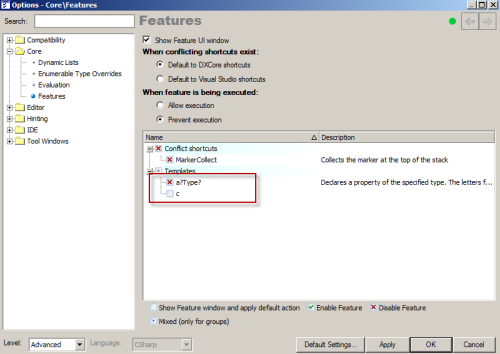
Open the options window for DevExpress and underneath the Core node, flick Features.  Each time you disable a “feature” it shows up here in the list.  Simply uncheck the template or item you disabled to re-enable it.
image

Deep Fried Bytes April Fools, Yes We Got You!

Posted by Keith Elder | Posted in Funny Stuff, Internet, Podcast | Posted on 02-04-2009

The pressure mounts for me each year when April 1st rolls around.  Each year co-workers and friends start asking me days before April 1st what I’m going to do this year, like I would tell them!

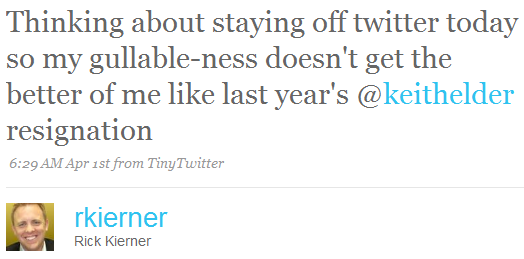
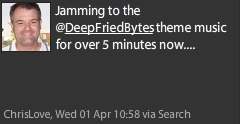
To fresh your memory, last year I took a job at Apple.  And to top off that prank, at work there was a termination letter that was sent to all of Information Systems.  Not only were a lot of people at work gotten but last year’s April Fools is still left in minds of many developers world wide like this tweet from Rick:

image

So what to do this year?  Well, this year we decided to get Deep Fried Bytes involved with the fun.  We created a show with a “Mystery Guest”, and built up the hype around the guest.  To make things sound a little more real we threw in an announcement about the DevLink conference and awaited the arrival of our special guest, who, well never showed up.

We let the show’s theme music play and play and play and play for almost 20 minutes.  Then we came back in at the end with a big APRIL FOOLS and apologized heavily to our loyal listeners. 

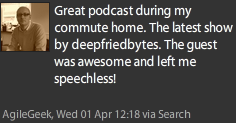
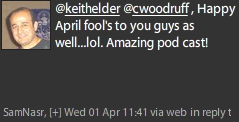
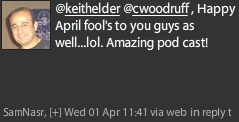
I’m happy everyone took it in good fun.  Here is some of the feedback we got:

image image
image image
image image
image image


All in all it was good fun and it seems most everyone took it in good stride.  One of my team members that works with me (Val) had listened to the show and decided to turn the tides.  I called him yesterday about 4:30 PM to discuss the days accomplishments and after I was on the phone with him for a few minutes I heard his phone ring and he said “can you hold on…this is someone very important I need to talk to?”.  I said sure and then he started playing the show’s theme music into the phone.  It was pretty funny. 

I hope you had a good April Fools and we’ll see you next year.

If you want to listen to the show here’s the link:

http://deepfriedbytes.com/news/episode-30-the-biggest-guest-in-the-world/

Deep Fried Bytes Episode #29: Let’s Rumble with the Rails Rumble Champs

Posted by Keith Elder | Posted in Podcast | Posted on 26-03-2009

Listen To This Episode 

http://deepfriedbytes.com/podcast/episode-29-let-s-rumble-with-the-rails-rumble-champs/


In this episode we found the Rails Rumble 2008 Champion team while at the CodeMash 2.0.0.9 conference in Sandusky, OH.  We sat down with the Rails Rumble champs to discuss Ruby and their award winning site MeetInBetween.us.

We talked about Ruby, Rails, Gems, Why Ruby, C# and much more.

Getting Rid of ESET Signatures in Outlook

Posted by Keith Elder | Posted in Software Tips | Posted on 21-03-2009

This is a short simple post that shows how to remove the auto attached messages generated by ESET Antivirus in Outlook.  This is a sample message that shows what gets attached.  Obviously this can be very annoying and junk up emails.

__________ Information from ESET NOD32 Antivirus, version of virus signature database 3952 (20090320) __________
The message was checked by ESET NOD32 Antivirus.
http://www.eset.com

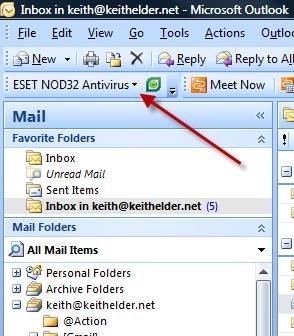
The fix is simple.  First, select the ESET NOD32 Antivirus drop down in the Outlook toolbar and choose “scanner setup”.

clip_image002

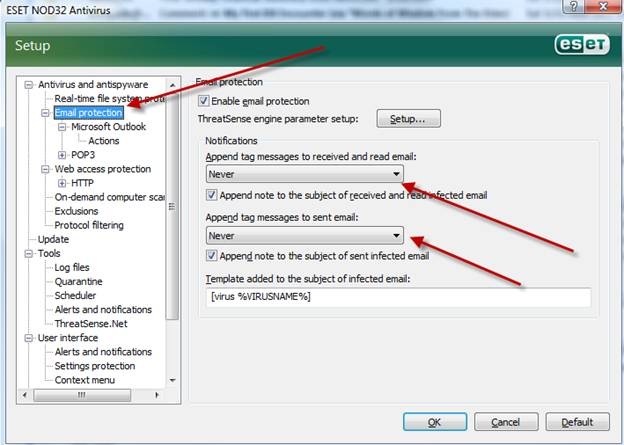
On the setup page select the “Email Protection” option in the list on the left. Then set the two drop downs to “Never”.

clip_image004

Click OK. That should remove the messages from the body of your emails. 

My First IE8 Encounter

Posted by Keith Elder | Posted in Internet | Posted on 20-03-2009

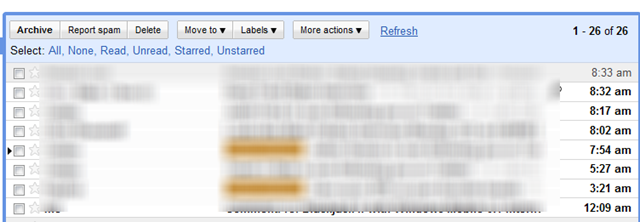
IE8 was released yesterday during the Mix keynote yesterday.  I installed IE8 on my machine yesterday and rebooted late last night (yes I ignored the warning to reboot immediately all day).  When I came in this morning I had a fresh rebooted machine to start the day with.  I opened up IE8 and went to the first place I go usually, email.  Here’s what I saw:

image

For those that don’t know, this is the GMail interface.  For full disclosure, the GMail interface is not perfect.  I have had the user interface render weird things like this before.  As a matter of fact, a few weeks ago I had a messed up user interface for over a week before it corrected itself, and this was in Firefox, yet IE rendered correctly.  Given the history I pulled up Firefox to see if it  was rendering weird.  Here’s what it looked like.

image

Honestly I’m not sure what is going on, I’d be interested if anyone else is having the same issue with GMail not rendering correctly.  It could be a lab setting I have causing the problem or Google Gears. 

Not giving up too easily I decided to clear the history / cache / etc.

image

Then I restarted.

Same result.  I then pressed the ALT key to get to the tools menu and chose the option “Developer Tools”.

image

What happens when you do this is you get the developer tools for IE8.  This allows all sorts of things such as searching the DOM, profiling javascript and rendering, debugging and much more.  It is a very welcomed tool for developers I know.

image

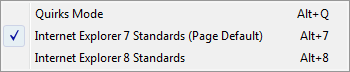
If you can read the screen above, the browser mode is in IE8 compatibility view but the document mode is in IE7 standards.  The document mode has three options: 

image

I selected the IE8 standards option and my screen refreshed and the page was rendered like:image

However, that change doesn’t “stick” for restarts.  It appears Google has some changes to make to GMail.  By the way, every other site I’ve been to works as expected.